BillTrack

Never miss a bill.
Know what's left.

A simple phone app that reminds you before bills are due and shows how much of your budget is already spoken for.

Download for Android

Version 0.1 · Android 8.0 or newer. Your phone will ask you to allow installing apps from your browser.

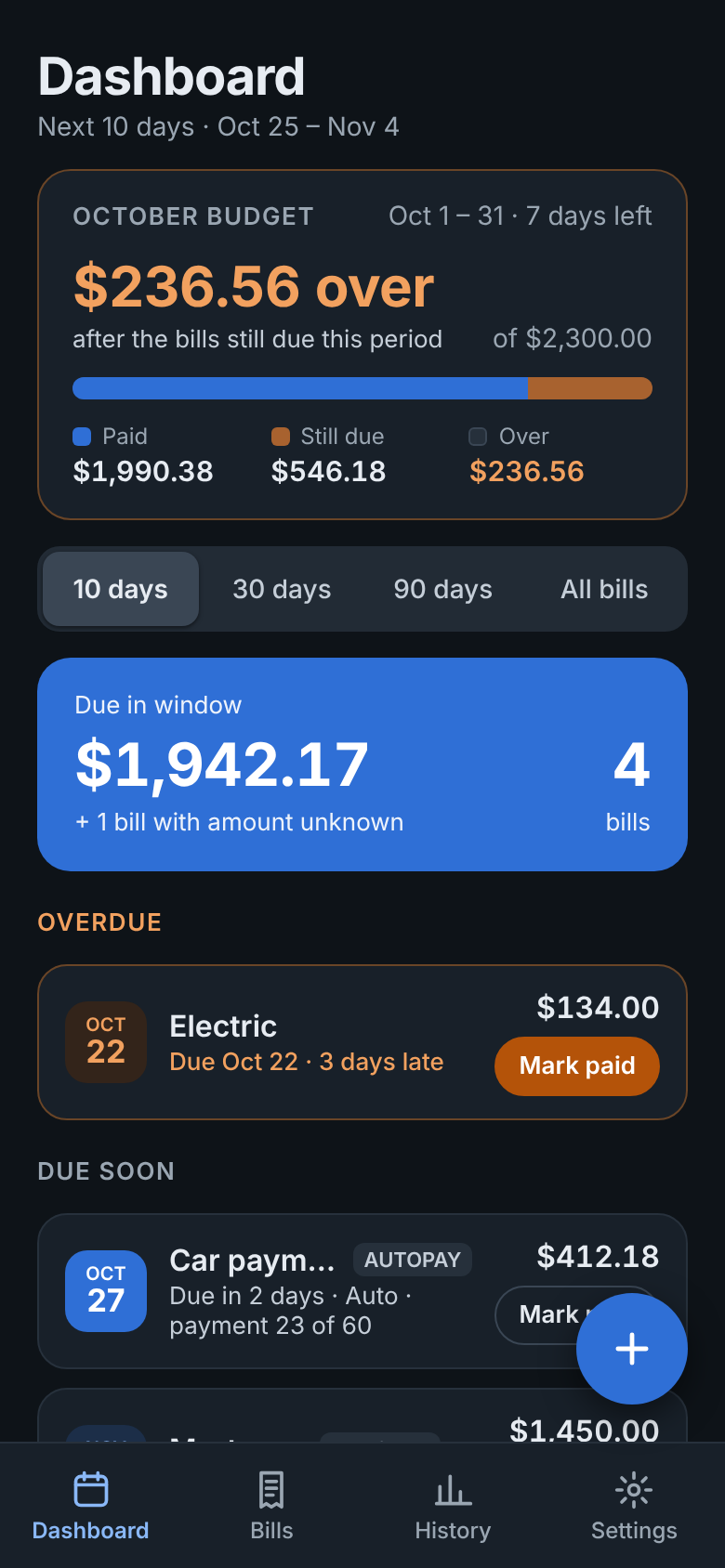
BillTrack dashboard in dark mode
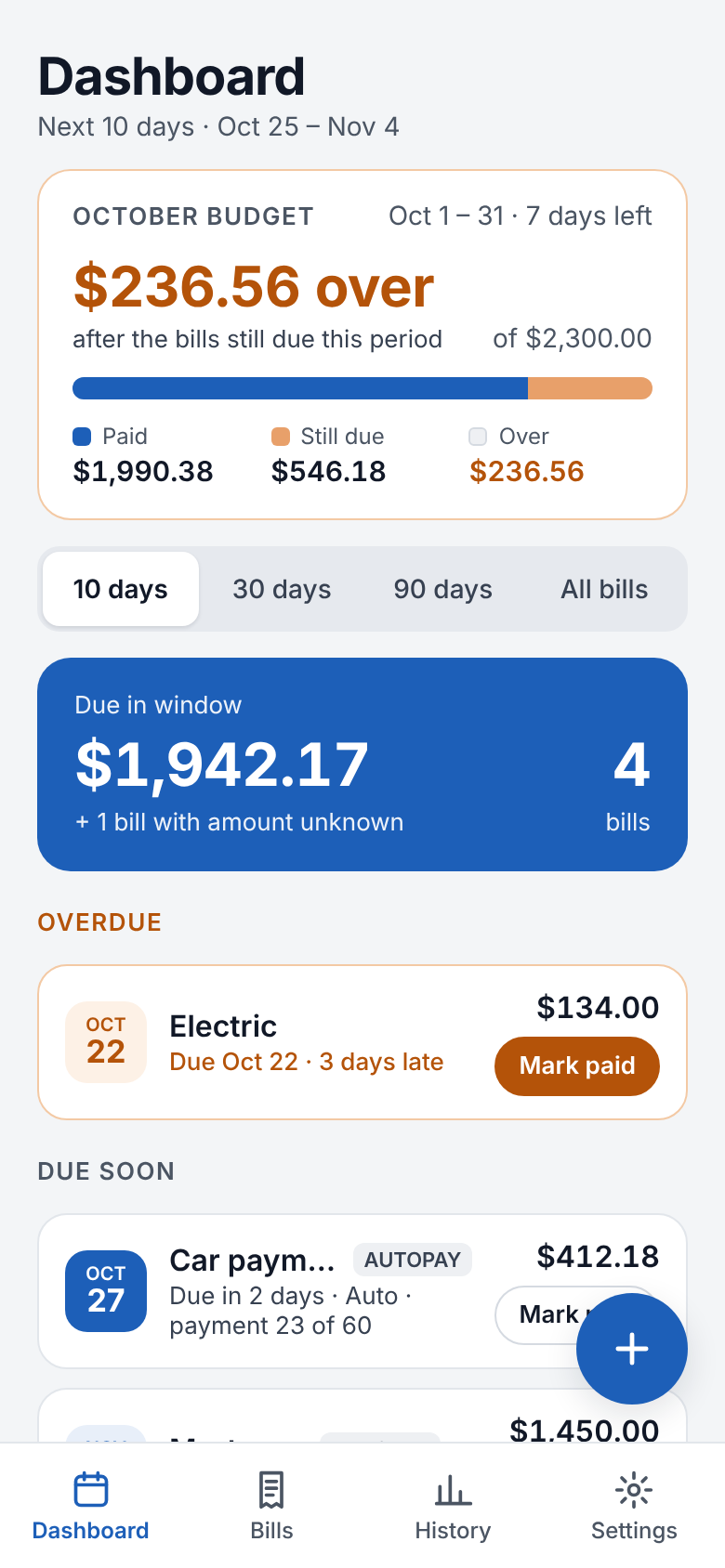
BillTrack dashboard showing the monthly budget, total due in the next 10 days, and an overdue bill

Bills

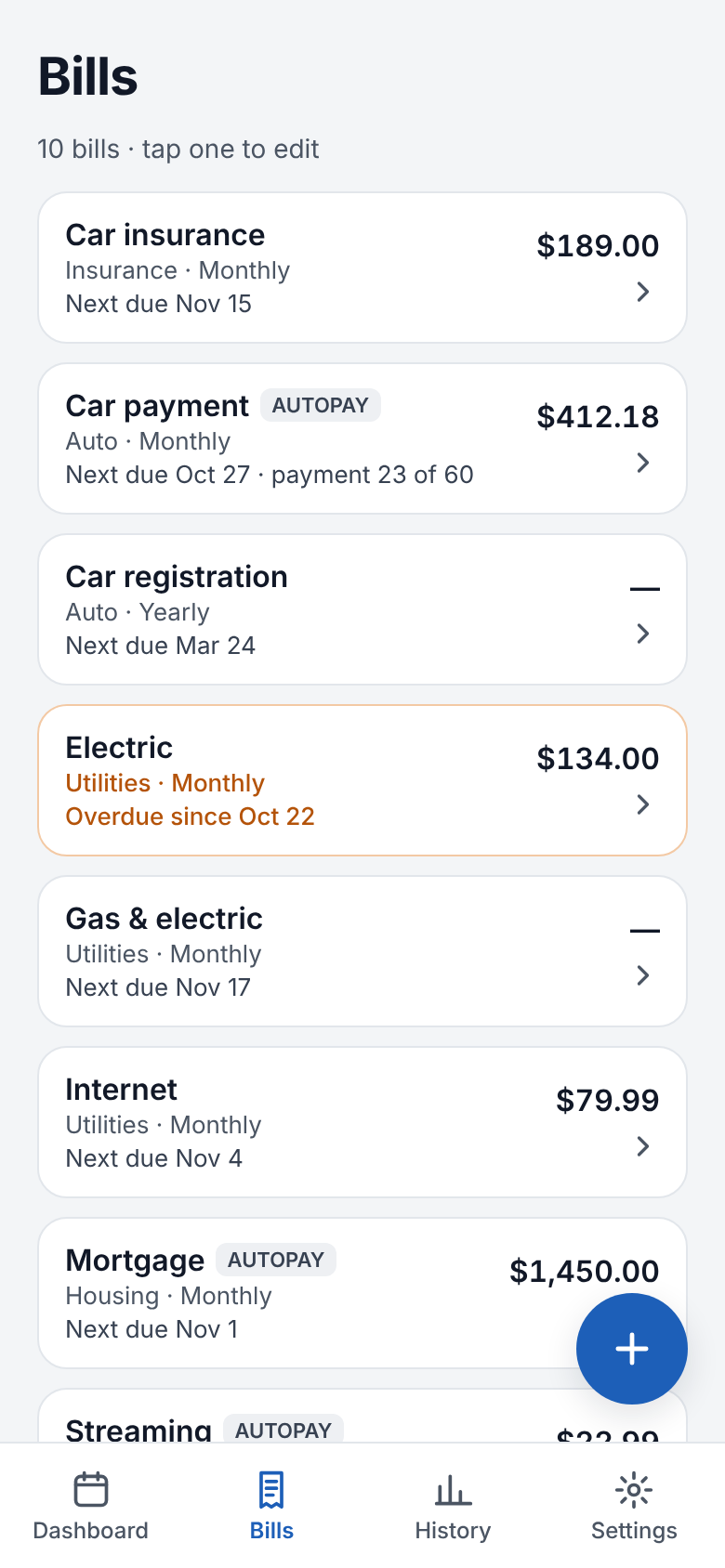
Every bill in one list

Monthly, yearly, fixed or variable. Add it once and BillTrack works out every due date after that. Edits apply going forward, so your history never changes.

  • Autopay bills are labeled, so you know what pays itself
  • Track loans to the end: "payment 23 of 60"
  • One tap marks a bill paid
Bills list showing each bill's amount, category and next due date

Dashboard & budget

See the overspend before it happens

Set a budget for any period: a month, a pay cycle, or your own dates. BillTrack counts what you've paid plus what's still due, so you know you're going over while you can still do something about it.

  • Overdue bills stand out in orange
  • Warning at 75%, 90% or 100%, your choice
  • Repeats monthly or every pay period
  • Past budgets are kept for comparison
Budget card showing $236.56 over after bills still due

Reminders

A nudge before it's due

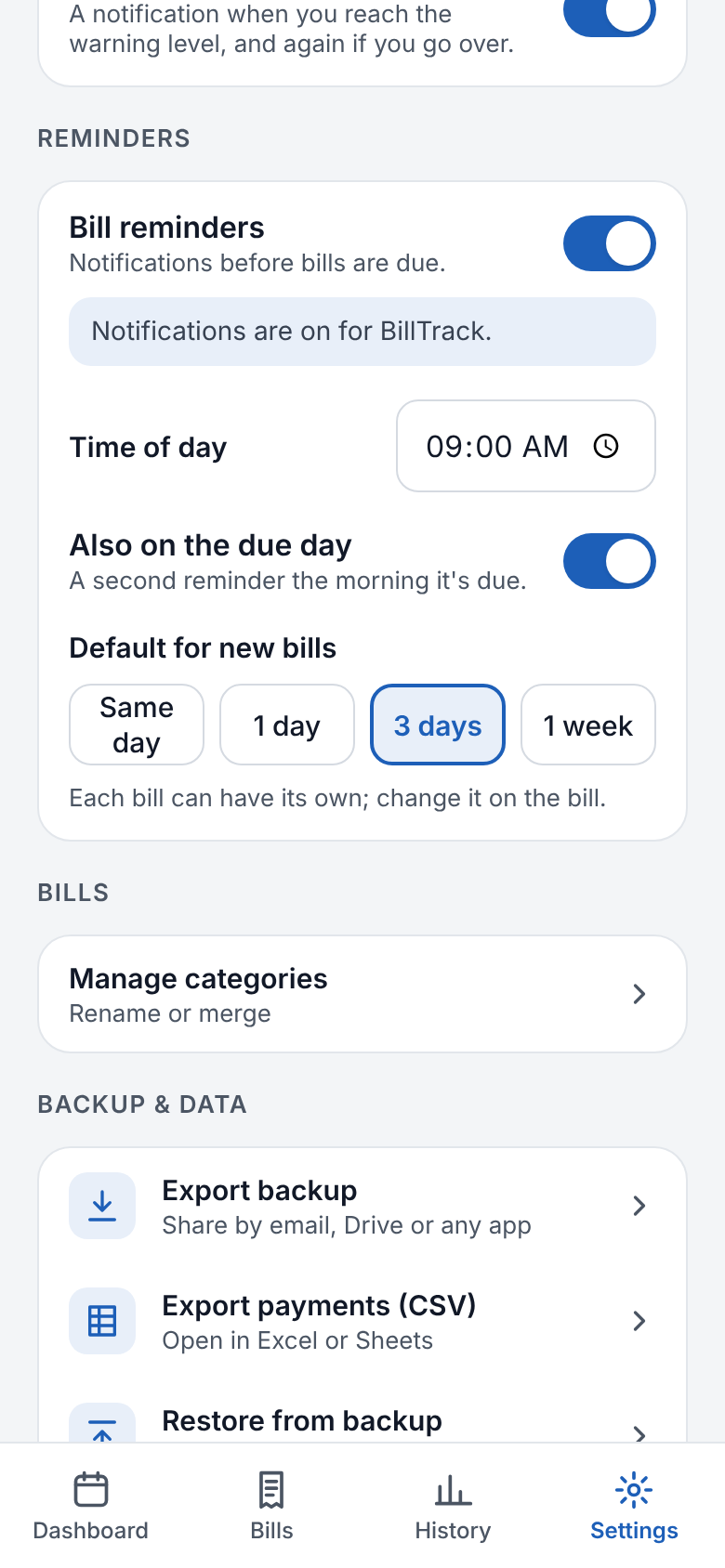
Pick the time of day and how far ahead. Get a second reminder the morning a bill is due. Each bill can have its own lead time.

  • Same day, 1 day, 3 days or a week ahead
  • Optional budget alerts
  • Works offline, no account needed
Reminder settings: time of day, due-day reminder, and default lead time

Simple from start to finish

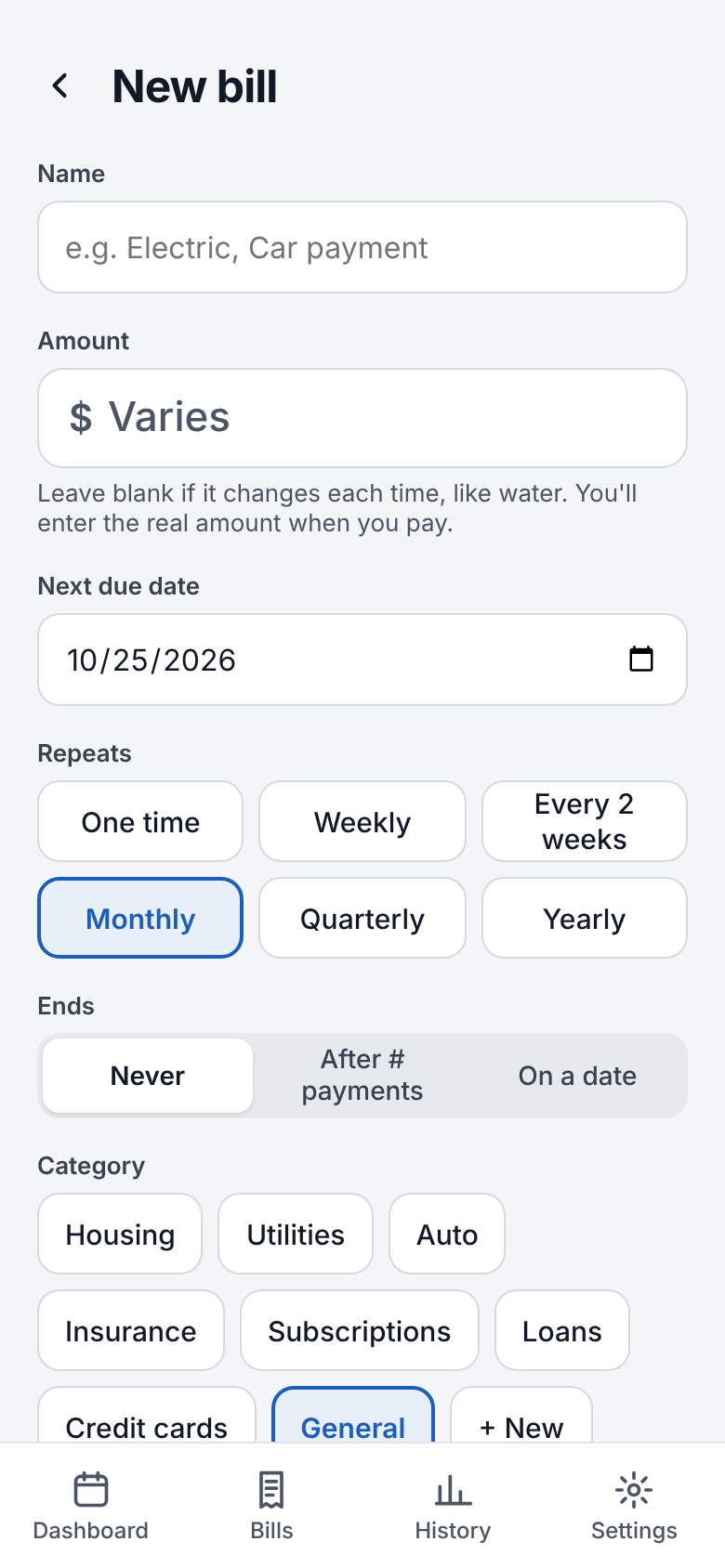
Add bill screen
Add a bill in seconds
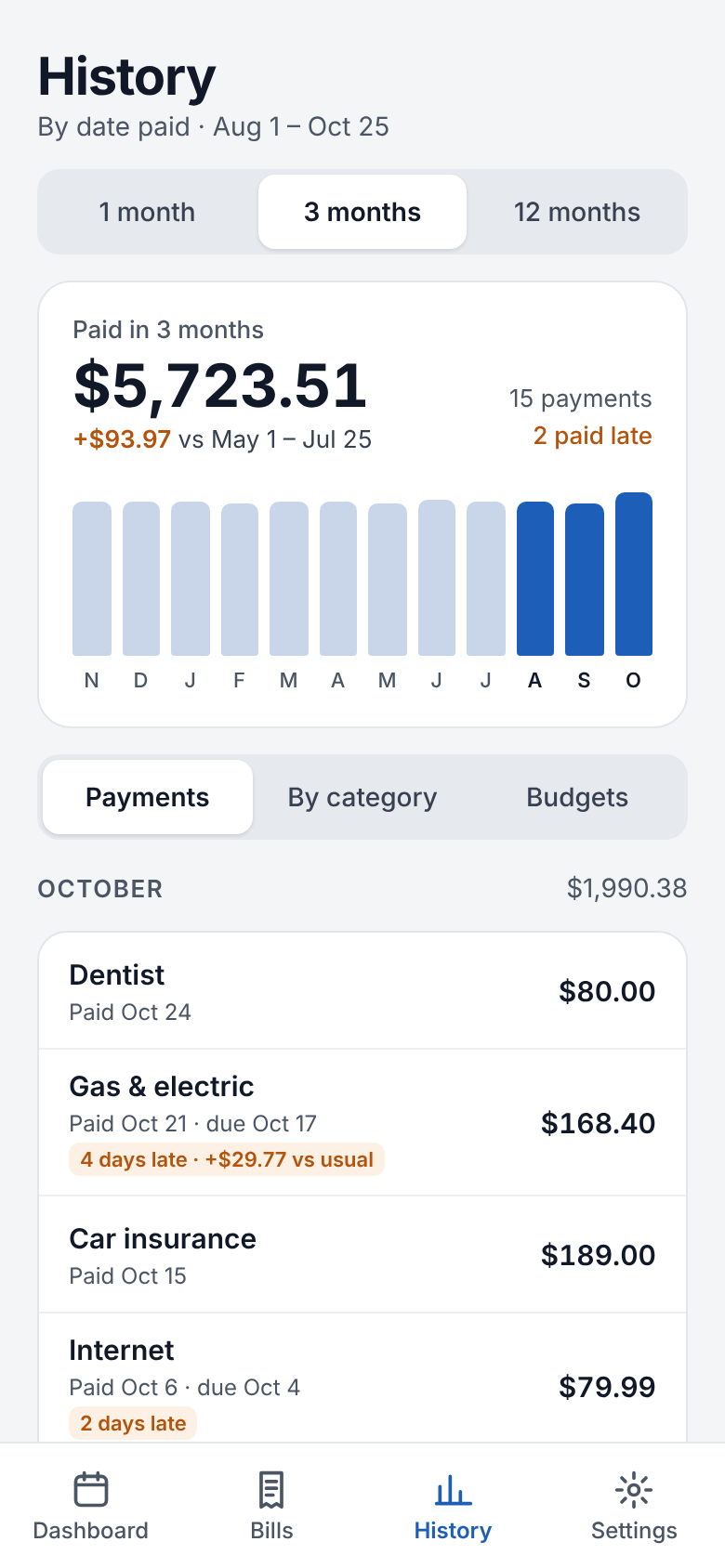
Spending history by month and category
Where the money went
Dashboard in dark mode
Dark mode

Your data stays on your phone

No sign-up, no cloud account, no ads. Your bills are stored on the device.

Back up when you want

Export a backup by email, Drive or any app, and restore it on a new phone.

Take your numbers with you

Export payments as CSV to open in Excel or Google Sheets.